
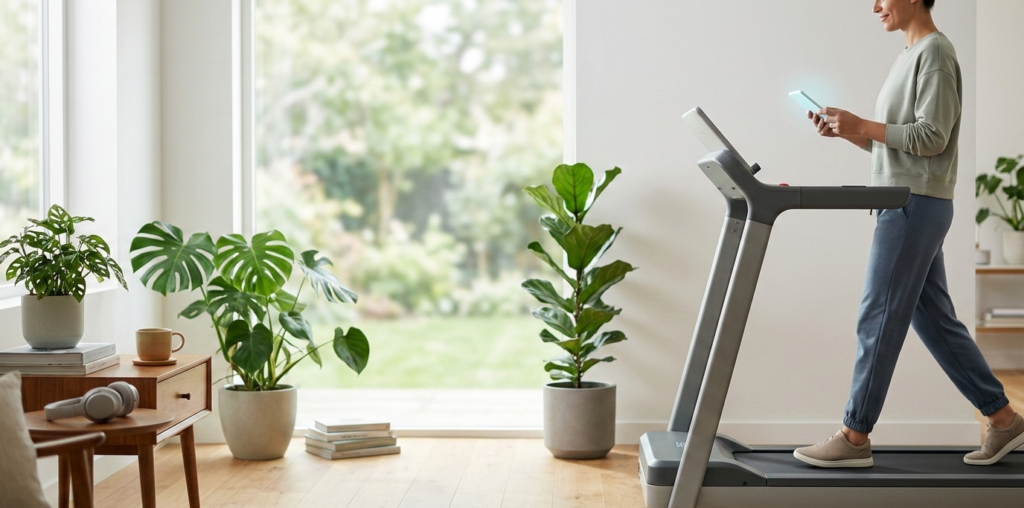
In the high-stakes environments of New York City, Boston, and Washington D.C., the home office has transitioned from a temporary convenience to a permanent, high-performance command center. However, the geographic reality of the Northeast—characterized by exorbitant price-per-square-foot and historic, often cramped, architecture—has created a silent health crisis. As professionals in the Acela corridor navigate «always-on» cultures, the boundary between living and labor has dissolved, often at the expense of the human frame.
The Northeast Corridor Workspace Crisis
For the professional living in a Long Island City high-rise or a Back Bay brownstone, space is the ultimate luxury. We have optimized our calendars and our portfolios, yet many continue to work from «kitchen table offices» or makeshift desks squeezed into bedroom corners. This is not merely an aesthetic compromise; it is a long-term health liability.
The «Always-On» culture of the Eastern Seaboard demands grueling hours, often spent in a state of physical stagnation. In cities where a 12-hour workday is the baseline, the sedentary nature of digital labor acts as a slow-motion injury. The lack of a dedicated ergonomic zone—a space where physics and physiology are aligned—leads to burnout that is as much physical as it is mental. To maintain a competitive edge in these markets, one must view their workstation not as furniture, but as high-performance equipment designed to mitigate the biological tax of urban density.
Anatomical & Physiological Analysis: The Science of Stagnation
To understand why an under-desk treadmill or a precision-engineered chair is necessary, one must understand the pathology of the modern desk worker. The most prevalent threat is the development of Musculoskeletal Disorders (MSDs), which arise when the body is forced into «non-neutral» positions for extended periods.
- Tech Neck & Cervical Strain: When your monitor height is insufficient, the head tilts forward. For every inch of forward head posture, the effective weight of the head on the spine increases by approximately 10 lbs.
- Lumbar Lordosis: Prolonged sitting often leads to the flattening of the natural inward curve of the lower spine. Without proper lumbar support, the discs are subjected to uneven pressure, leading to chronic lower back pain.
- Carpal Tunnel Syndrome & Neural Compression: Improper wrist angles during typing create «kinks» in the median nerve path. Maintaining a Neutral Posture—where joints are naturally aligned and muscle tension is minimized—is the only way to prevent long-term nerve damage.
Movement is the antidote. Integrating an under-desk treadmill facilitates blood flow, reducing the risk of deep vein thrombosis and improving metabolic rate. By keeping the lower extremities active, we prevent the «pooling» of blood and ensure consistent oxygenation to the brain, which is vital for the cognitive demands of high-level analysis and decision-making.
The Tiered Product Comparison: Building the Active Office
While the goal is a quiet, walking-capable setup, an ergonomic environment requires a layered approach. Below are our vetted recommendations for optimizing your Northeast workspace across three investment tiers.
Tier 1: $20 – $100 (Essential Optimization)
At this level, we focus on correcting the most egregious postural «leaks.»
- Logitech M575 Wireless Trackball: A staple for small NYC desks. Because the mouse stays stationary, it eliminates the need for wide arm sweeps, protecting the rotator cuff and saving precious desk real estate.
- Kensington EasyFit Laptop Riser: Essential for those working from laptops. It elevates the screen to eye level, instantly mitigating «Tech Neck.»
- Everlasting Comfort Lumbar Support Pillow: A high-density memory foam solution that restores Lumbar Lordosis in standard dining or «aesthetic» chairs.
Tier 2: $100 – $200 (The Productivity Upgrade)
This tier introduces mechanical advantages and entry-level dedicated seating.
- Sihoo M18 Ergonomic Chair: A formidable entry-level task chair featuring adjustable headrests and lumbar support that punches far above its weight class.
- HUANUO Dual Monitor Arm: For the DC policy analyst or Boston researcher, dual screens are a must. These arms clear desk space and allow for micro-adjustments to screen depth and tilt.
- Logitech MX Keys S: Low-profile keys reduce the required extension of the wrist, keeping the hand in a more Neutral Posture.
Tier 3: $200 – $300 (The Professional Investment)
Here we focus on the core of the «Active Workspace»—the quiet walking pad and premium support.
- WalkingPad P1 Foldable Treadmill: The gold standard for the urban apartment. It folds 180°, allowing it to slide under a sofa. Its brushless motor is quiet enough for a Zoom call in a thin-walled Philly rowhouse.
- UREVO 2-in-1 Under Desk Treadmill: Known for its stability and «whisper-quiet» operation (under 45dB). Ideal for deep-focus sessions.
- Branch Task Chair: An NYC-based company that understands the aesthetic/functional balance. It provides firm support with a small footprint.
- Goplus 2-in-1 Folding Treadmill: Features a high-quality shock absorption system that protects your knees from the hard impact often felt on cheaper units.
- FelixKing Ergonomic Desk Chair: Features «flip-up» arms, a crucial feature for Northeast professionals who need to tuck their chair completely under the desk to save space at the end of the day.
Pro «Workspace-Hacks»
For the professional who needs an immediate fix before their equipment arrives, these «zero-cost» hacks utilize physics to improve ergonomics:
- The Shoe-Box Footrest: If your feet don’t sit flat on the floor, your lower back compensates. Use a sturdy shoebox or a stack of The New Yorker magazines to elevate your feet until your knees are at a 90° angle.
- The Gym-Towel Lumbar Roll: Roll a standard gym towel into a cylinder (approx. 4–5 inches in diameter) and place it at the small of your back. This maintains the natural curvature of the spine better than most «built-in» chair supports.
- The «Hardcover» Monitor Lift: Use your thickest coffee table books to raise your monitor. The goal is to have your eyes hit the top third of the screen when looking straight ahead.
Environmental Synergy: The Hidden Ergonomics
In the Northeast, the environment changes drastically with the seasons. By 4:15 PM in December, a NYC office is plunged into darkness.
- Blue Light & Circadian Rhythm: During those early sunsets, the blue light from your monitors can severely disrupt melatonin production. Utilize software like f.lux or «Night Shift» to warm your screen temperature as the sun goes down.
- The 20-20-20 Rule: To prevent digital eye strain, every 20 minutes, look at something 20 feet away for 20 seconds. In high-rise living, looking out the window at the skyline provides the perfect focal distance to relax the ciliary muscles of the eye.
- Glare Mitigation: Position your desk perpendicular to windows. Facing a window leads to «contrast glare,» while having a window behind you causes screen reflections—both lead to squinting and forward-leaning posture.
The 30-Second «East Coast» Desk Audit
Run through this checklist now to identify immediate ergonomic failures:
- [ ] Eye Level: Is the top third of your screen at or slightly below eye level?
- [ ] Elbow Angle: Are your elbows at 90°, with wrists flat (not cocked up) on the keyboard?
- [ ] Footing: Are your feet flat on the floor or a firm surface? (No dangling).
- [ ] Lumbar Gap: Is there a support filling the curve of your lower back?
- [ ] Lighting: Is your primary light source coming from the side, rather than directly in front of or behind you?