
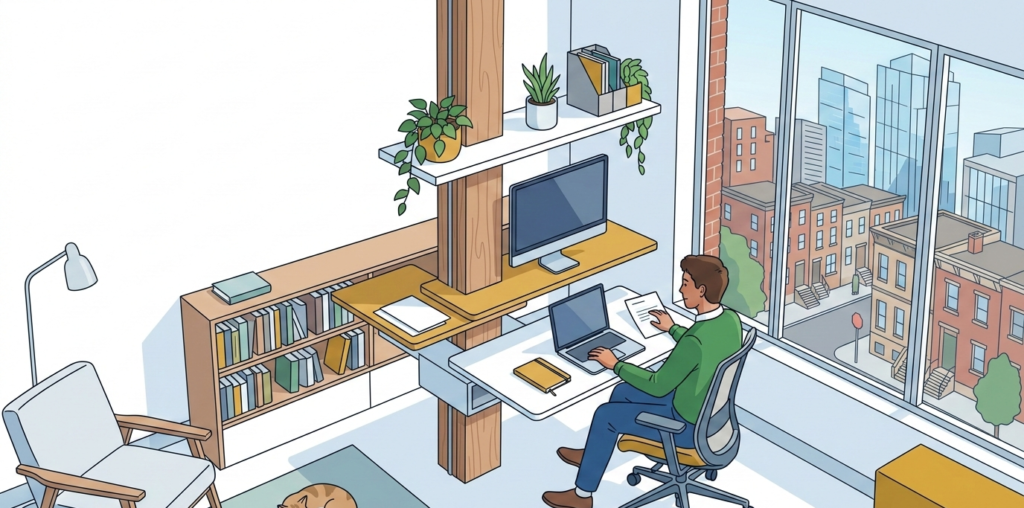
In the hyper-competitive corridor stretching from Boston’s Seaport to the K Street offices of D.C., the home office is no longer a temporary convenience—it is a critical infrastructure point. However, for the professional navigating the real estate constraints of a Manhattan studio or a Philly rowhouse, the «office» is often a 500-square-foot multi-purpose zone.
Setting up a standing desk in a limited-square-footage environment requires more than just a purchase; it requires an architectural and physiological strategy. This guide dissects how to build a high-output workstation that preserves both your health and your living space.
The «Northeast Corridor» Workspace Crisis
The «Always-On» culture of the Eastern Seaboard demands peak cognitive performance from 8:00 AM until the final West Coast emails taper off. In cities like New York and DC, where rent-per-square-foot reaches astronomical levels, many professionals have fallen into the «Kitchen Table Trap.»
Working from a standard dining chair or a couch is not merely a compromise; it is a long-term health liability. These surfaces are designed for short-term tasking—eating or relaxation—not for the sustained, high-intensity focus required of a private equity analyst or a senior developer. The lack of a dedicated ergonomic zone leads to «work creep,» where the entire apartment becomes a site of stress, obliterating the mental boundary between professional output and personal recovery.
Furthermore, the physical toll of a sub-optimal setup is compounded by the sedentary nature of urban desk work. Without the commute-related walking that once buffered our days, the static load on the spine has increased. In a 450-square-foot studio, your desk must be a masterpiece of efficiency—a vertical sanctuary that promotes blood flow and metabolic health without encroaching on your limited «zen» space.
Anatomical & Physiological Analysis: The Cost of Static Load
To understand why setup matters, one must understand the mechanics of the human frame under duress. The most prevalent issue facing the modern urban professional is Musculoskeletal Disorders (MSDs), specifically those originating from a loss of Neutral Posture.
The «Tech Neck» Phenomenon
When your monitor is positioned too low—common with laptop-only setups—the head tilts forward. For every inch the head moves forward from its center of gravity, it gains 10 lbs of functional weight. This creates massive strain on the cervical spine, leading to Tech Neck (cervical kyphosis), which can cause chronic headaches and radiating nerve pain.
Carpal Tunnel and Neural Compression
Improper wrist angles lead to Carpal Tunnel Syndrome. When the wrist is extended (tilted back) or flexed (tilted down), the median nerve is compressed within the carpal tunnel. Achieving a 90-degree elbow angle is non-negotiable for maintaining neural health and preventing Repetitive Strain Injuries (RSIs).
Lumbar Lordosis and Venous Return
Sitting for 10 hours a day flattens the natural inward curve of the lower back, known as Lumbar Lordosis. This causes the intervertebral discs to compress unevenly. A standing desk, when used correctly, reintroduces the Neutral Spine and encourages «micro-movements» that facilitate venous return—the process of blood traveling back to the heart—preventing the lower-extremity edema often seen in sedentary professionals.
The Tiered Product Comparison: Scaling Your Setup
Choosing the right gear for a small apartment requires balancing footprint with functionality. Every inch of desk real estate is premium.
Tier 1: $20 – $100 (Essential Optimization)
For the professional early in their career or those testing the standing desk waters, these items provide the highest ROI per dollar.
- Laptop Stand: Rain Design iLevel2. This stand is a classic for a reason. Its sliding height adjustment allows you to bring your laptop screen to eye level, instantly fixing your cervical alignment.
- Ergonomic Mouse: Logitech M575 Wireless Trackball. In a small studio, desk space is tight. A trackball mouse stays stationary, eliminating the need for a large mousepad area while keeping the wrist in a neutral position.
- Lumbar Support: Original McKenzie Lumbar Roll. If you are still using a standard chair, this is a required medical-grade intervention to maintain lumbar lordosis.
Tier 2: $100 – $200 (The Productivity Upgrade)
This tier focuses on specialized equipment that transitions a «corner» into a high-performance workstation.
- Entry-Level Ergonomic Chair: Sihoo M18 Ergonomic Office Chair. This offers adjustable headrests and lumbar support that punches far above its weight class, essential for the hours you do spend sitting.
- Mechanical Ergonomic Keyboard: ProtoArc EK01 Ergonomic Keyboard. A split-key design allows your shoulders to remain open (retracted), preventing the «hunching» associated with standard keyboards.
- Monitor Arm: Mount-It! Single Monitor Desk Mount. Reclaiming desk surface is vital in a studio. This arm allows you to suspend your monitor, creating space underneath for notebooks or your keyboard.
Tier 3: $200 – $300 (The Professional Investment)
For the established professional, these tools offer durability and sophisticated ergonomic adjustment.
- Standing Desk Converter: VariDesk Pro Plus 30. If you have a beautiful mid-century modern table you don’t want to replace, this converter sits on top and uses a spring-assisted lift to transition to standing in seconds.
- Mid-Range Task Chair: Branch Task Chair. Designed in NYC, this chair features a slim profile perfect for urban apartments without sacrificing synchro-tilt mechanics.
- Anti-Fatigue Mat: Ergodriven Topo Mat. Standing on hardwood for 6 hours is brutal. This mat’s «calculated terrain» encourages your feet to move, stimulating blood flow and reducing calf fatigue.
Pro «Workspace-Hacks»: The Physics of the Improvised Office
If you are waiting for a shipment or need an immediate fix, use the principles of physics to optimize your current environment.
- The New Yorker’s Monitor Riser: Use a stack of heavy coffee table books (e.g., Assouline or Phaidon) to raise your screen. The Physics: By aligning the top third of your screen with your eye level, you eliminate the downward lever arm of your head, reducing the torque on your C7 vertebrae.
- The Gym Towel Lumbar Roll: Roll up a thick gym towel and secure it with rubber bands. Place it at the small of your back. The Physics: This provides a physical stop that prevents the pelvis from tilting posteriorly, maintaining the natural S-curve of the spine.
- The Shoebox Footrest: Use a sturdy boot box (Timberland or Hunter boxes work best) as a footrest while sitting. The Physics: Elevating the feet slightly opens the hip angle and reduces pressure on the underside of the thighs (popliteal pressure), which improves circulation to the lower legs.
Environmental Synergy: Managing the Northeast Elements
Ergonomics extends beyond furniture; it encompasses the sensory environment, which is particularly volatile in the Northeast.
- The Winter Sunset: In Boston or NYC, the sun sets as early as 4:15 PM in December. The sudden shift to harsh, overhead LED lighting can cause eye strain and disrupt your circadian rhythm. Use a warm-spectrum desk lamp to provide localized «task lighting» and mitigate the «gloam.»
- The High-Rise Glare: If you’re in a glass-walled apartment in Long Island City or Seaport, midday glare on your screen is an ergonomic disaster. It forces you to squint and lean forward, breaking your neutral posture. Use a monitor light bar or anti-glare film.
- The 20-20-20 Rule: Every 20 minutes, look at something 20 feet away for at least 20 seconds. In a studio, this might mean looking out the window at the building across the street. This relaxes the ciliary muscles in the eyes, preventing «computer vision syndrome.»
The 30-Second «East Coast» Desk Audit
Before you start your next Zoom call, run through this rapid-fire checklist:
- Eyes: Is the top third of the screen at eye level?
- Elbows: Are they at a 90-to-100 degree angle, tucked close to your ribs?
- Wrists: Are they flat (neutral), not tilted up or down?
- Shoulders: Are they relaxed and down, not «shrugged» toward your ears?
- Feet: Are they flat on the floor or a firm surface?
- Movement: Have you transitioned between sitting and standing in the last 60 minutes?
Your workspace is the cockpit of your career. In the high-stakes environment of the Northeast, your physical health is the ultimate leverage.