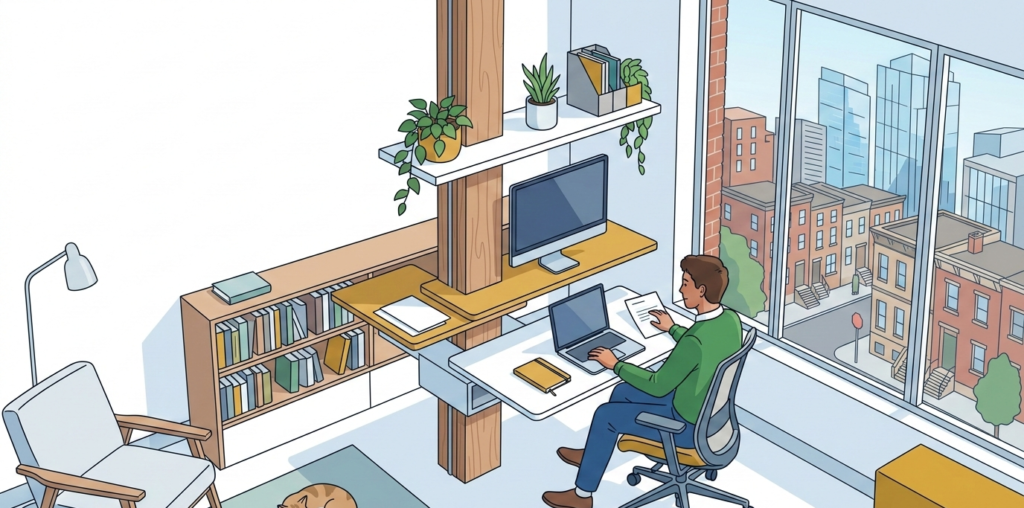

A desk near a sunny window can look ideal on paper. Natural light makes a home office feel bigger, brighter, and more pleasant than a dark corner. But once the afternoon sun starts hitting your work surface, that same setup can turn into a heat trap.
If your desk gets warm, your chair feels stuffy, and your laptop starts running hotter than usual, the fix usually is not one big purchase. Better cooling for sunny desks comes from a few smart adjustments: managing direct sun, improving airflow, reducing heat buildup on surfaces, and making sure your equipment is not baking in place.
Why sunny desks get uncomfortable so quickly
A sunny desk does not just feel bright. It stores heat. Sunlight hitting a desktop, monitor, keyboard, or upholstered chair can raise the temperature of the whole work zone, especially in smaller home offices and apartments where airflow is already limited.
The problem usually comes from a mix of factors:
- direct sunlight on the desk surface
- poor air circulation near windows
- dark materials that absorb heat
- electronics adding their own warmth
- limited ability to move furniture in a small room
That is why cooling a sunny desk is less about blasting cold air at yourself and more about reducing the heat load in the first place.
Start by controlling direct sun
The fastest way to improve comfort is to limit how much direct sunlight lands on your desk during working hours.
Rotate the desk instead of moving it across the room
If you like being near the window, you may not need to relocate the entire setup. Often, turning the desk so the sun hits the side of your workspace instead of the front makes a noticeable difference.
A few layout shifts help right away:
- place the desk perpendicular to the window instead of directly facing it
- keep your monitor out of the sun path
- avoid putting your chair where the sun hits the seat or backrest for hours
- shift the desk even 12 to 18 inches away from the glass if space allows
In many condos, rentals, and small apartments, a partial reposition works better than a full room redesign.
Use window coverings that filter heat, not just light
Basic curtains help with glare, but for better cooling, you want something that cuts solar heat gain. Light-filtering roller shades, solar shades, or lined curtains can make a sunny desk much more usable without turning the room into a cave.
This is especially helpful if:
- your desk faces west and gets harsh afternoon sun
- you work in a spare bedroom with one oversized window
- your office is in a corner of the living room where sun exposure changes throughout the day
If you rent, renter-friendly options like removable curtain rods or tension-mounted treatments can still improve the setup.
Consider removable window film
For desks that get intense, repeated sun exposure, removable window film can help reduce heat and glare without a major setup change. This can be a practical option when you want daylight but do not want your desktop heating up by noon.
Look for film that is easy to remove and appropriate for your window type. If you are in a rental, make sure it is allowed and test a small area first.
Improve airflow at desk level
Once direct sun is reduced, the next step is getting air to move through the workspace instead of letting heat sit around you.
Use a small fan with a specific job
A desk fan works best when it has a clear role. Instead of pointing it randomly at your face, use it to move warm air away from the desk zone or pull cooler air into it.
Good placements include:
- at the side of the desk, angled across your arms and torso
- behind the monitor, to keep air from stagnating
- near the edge of the room, helping move air toward an open doorway or vent
A fan is usually more effective when it supports existing airflow rather than trying to create all of it on its own.
Keep HVAC vents clear
It sounds obvious, but a lot of home offices lose cooling because furniture blocks the room’s air path. If a filing cabinet, storage cart, or desk panel is sitting right over a vent, cool air may never reach the spot where you work.
Check for these common issues:
- supply vents blocked by drawer units or boxes
- return vents crowded by shelves or baskets
- curtains hanging over floor vents
- a desk placed so tightly against the wall that air cannot circulate behind it
Even a well-cooled room can feel hot at the desk if airflow gets trapped.
Use cross-ventilation when weather allows
If your window opens, use it strategically. Opening a second window or interior door can help move warm air out rather than letting it collect near the glass.
This works best in the early morning or evening, when outside air is cooler than the room. In hot weather, leaving a sunny window open at the wrong time can make the problem worse, so timing matters.
Keep your equipment from adding extra heat
On a sunny desk, your electronics may be working against you. Monitors, laptops, docking stations, chargers, and lamps all add warmth to the area.
Lift laptops and improve underside airflow
A laptop sitting flat on a warm desk surface can heat up fast. A stand helps with posture, but it also improves ventilation underneath the device.
This is especially useful if you:
- work on a laptop for most of the day
- notice the palm rest getting hot
- use video calls or design tools that already push your system harder
If heat is a repeated issue, a cooling pad may be worth considering, but basic elevation often helps more than people expect.
Move heat-producing accessories off the main desk
Sometimes the desk feels hot because too many powered devices are packed into one sunlit zone. Chargers, hubs, speakers, and lamps can all add to the buildup.
Easy fixes include:
- placing a docking station on an open shelf
- moving chargers under the desk or to a side table
- switching to a task light that produces less heat
- keeping the printer out of the immediate work area
This does not just cool the desk. It also makes the setup feel less crowded.
Protect monitors from direct sun
A monitor in direct sunlight is not just harder to see. It also adds visual strain because you end up fighting glare and brightness at the same time.
Keep the screen out of the beam if possible. If you cannot, angle it slightly and use window treatments during peak sun hours. A bright, hot screen area can make the whole desk feel more uncomfortable than the actual room temperature suggests.
Choose cooler materials and surfaces where you can
Some home offices hold heat simply because of the materials in the setup. Dark desktops, faux leather seats, thick seat cushions, and densely packed fabric accessories can all feel warmer in a sunny spot.
You do not need to replace everything, but a few choices help:
- lighter desk mats instead of dark rubber-heavy surfaces
- breathable chair materials over heat-trapping upholstery
- minimal fabric clutter on the desktop
- a lighter desktop finish if you are buying new furniture
If your chair sits in direct afternoon sun, that may matter as much as the desk itself. A breathable seat can feel noticeably better by mid-day.
Build a cooling routine around the sun pattern
One of the best ways to manage a sunny desk is to work with the room’s timing. Many people know the desk gets hot but never adjust their routine around when it happens.
Plan around the hottest window hours
If the sun hits hardest from 2 p.m. to 5 p.m., that may be the best time for:
- standing work at a different counter
- calls from another room
- admin tasks away from the main desk
- closing shades before the room fully heats up
This is especially useful in flexible remote work schedules where you do not need to stay locked to one chair all day.
Cool the room before it overheats
It is easier to keep a room comfortable than to cool it down after heat has built up. Closing shades early, running a fan before the desk gets hot, and pre-cooling the room with AC can all help prevent that late-afternoon wall of heat.
For sunny rooms, small early adjustments usually work better than reactive fixes later.
Common mistakes that make a sunny desk feel worse
A few setup choices tend to create more heat than people realize.
Relying on blackout fixes only after the room is hot
Once the desktop, chair, and electronics have absorbed heat, the room often stays uncomfortable longer than expected. Preventive cooling works better.
Putting the desk directly against the brightest window
That arrangement looks clean, but it often creates the worst mix of glare, hot surfaces, and trapped warm air.
Using a fan without changing the heat source
If the sun is still beating onto the desk, the fan may only move warm air around. Airflow helps, but source control matters more.
Ignoring the laptop and monitor zone
Even if you personally feel fine, overheated equipment can make the whole desk area feel warmer and less usable.
What a balanced sunny desk setup looks like
The best setup usually does four things well:
- reduces direct sun on the desk surface
- keeps air moving through the workspace
- limits heat from electronics and materials
- gives you flexibility to shift positions during peak sun hours
That does not require a full renovation. In most homes, it is a combination of desk angle, window treatment, fan placement, and a few smart habit changes.
Conclusion
Better cooling for sunny desks is really about making the workspace less exposed, less stagnant, and less heat-heavy overall. When you reduce direct sun, improve airflow, and stop electronics from piling extra warmth onto the desk, the whole setup becomes easier to work in.
If your current desk looks great in the morning but feels miserable by afternoon, start with the simplest fixes first: rotate the desk, filter the window light, and move air with intention. Small changes tend to make a bigger difference than people expect, especially in compact home offices where every inch of setup matters.