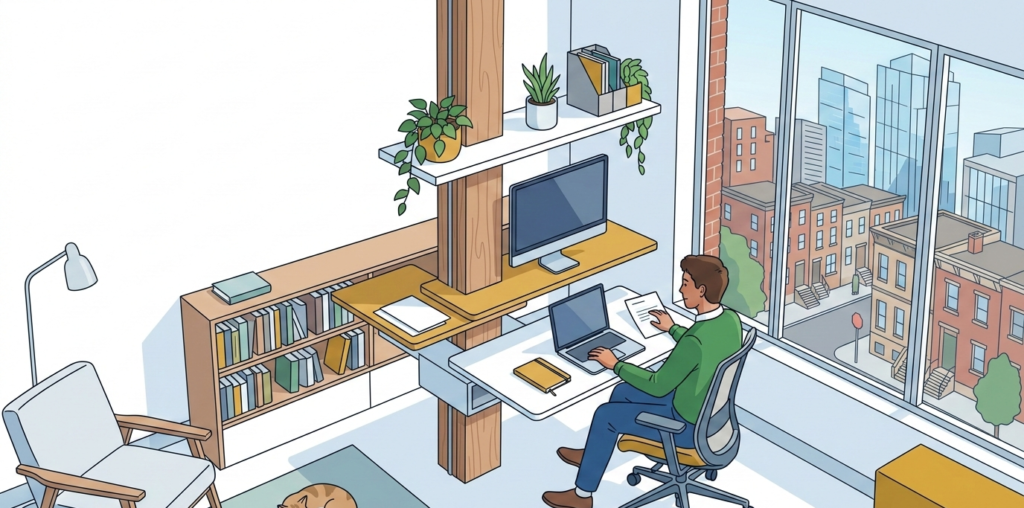

A more comfortable home office usually does not start with a dramatic makeover. It starts with fixing the small points of friction that wear on you every day: looking down at a laptop for hours, reaching awkwardly for a mouse, dealing with screen glare, or trying to focus through household noise.
The best home office tech upgrades solve those problems in practical ways. They help your body settle into a better position, make your desk easier to use, and remove the little annoyances that make a workday feel longer than it should. If you are deciding where to spend first, focus on the upgrades that improve posture, visibility, input comfort, and everyday flow.
The tech upgrades that make the biggest difference
Not every gadget deserves desk space. For comfort, the most worthwhile upgrades are usually the ones that change how you sit, see, type, and move through tasks.
An external monitor
If you still work mainly from a laptop screen, this is often the upgrade that changes everything. A properly placed monitor lets you look forward instead of down, which can help reduce the hunched posture that shows up fast during long work sessions.
It also makes the workday feel less cramped. That matters in home offices where your desk may be narrow or set into a bedroom corner.
A monitor is especially helpful if you:
- write or edit documents for long stretches
- spend hours in spreadsheets
- work with multiple windows open at once
- take frequent video calls
For comfort, size matters less than placement. Even a modest external monitor can feel like a major upgrade if it helps you stop curling toward a laptop.
A monitor arm
If the monitor is the posture upgrade, the arm is the flexibility upgrade. A monitor arm makes it easier to set the screen at a better height and distance, and it frees up desk space at the same time.
This is especially useful for:
- shallow desks
- standing desk users
- shared desks
- small apartments where every inch matters
It also helps if your workday changes shape. You can pull the screen closer for detailed work, push it back when you need writing space, or reposition it around window glare instead of rearranging the whole desk.
A laptop stand with an external keyboard and mouse
For many people, this is the most realistic comfort upgrade if a separate monitor is not in the budget yet. A laptop stand lifts the screen closer to eye level, while an external keyboard and mouse let your arms stay in a more natural position.
The key is using all three pieces together. Raising the laptop without adding a separate keyboard and mouse usually creates a different problem. Once the keyboard sits too high, your shoulders and wrists start compensating.
This setup works well for:
- hybrid workers who move between rooms
- renters who want a flexible desk
- anyone using a dining table or compact desk as a workstation
Better input devices are worth more than people expect
A lot of workday discomfort comes from repeated hand and arm movement, not just from the chair or screen.
A keyboard that fits how you type
You do not need an expensive specialty keyboard, but the standard one that came with your setup may not be the best fit for daily use. If your wrists feel tense or your shoulders creep upward while typing, a better keyboard can help reduce strain.
For comfort, look for features like:
- a layout that does not force your hands too wide
- keys that feel responsive without requiring heavy force
- a profile height that works with your desk and posture
- wireless use if cable placement is making your desk awkward
The best choice depends on your habits. Some people prefer a low-profile keyboard for a cleaner wrist angle, while others like a more tactile feel. Comfort matters more than trendiness here.
A mouse that reduces reach and tension
A mouse is easy to overlook until your forearm starts complaining. If you are constantly reaching out to the side or gripping a small mouse too tightly, switching styles can make daily work feel easier.
A larger mouse, vertical mouse, or trackball can all be useful depending on your setup. The right choice often comes down to one question: does it let your hand rest more naturally without making you work harder to control it?
If your desk is tight, also pay attention to placement. Sometimes the real fix is not a new mouse. It is moving the keyboard and mouse closer to your body so your arm is not floating all day.
Lighting tech can improve comfort as much as screen tech
People often think of lighting as a design issue, but in a home office it is also a comfort issue. Bad lighting creates squinting, glare, and that washed-out tired feeling that hits by late afternoon.
A monitor light bar or adjustable task lamp
If your overhead light is harsh or your desk sits near a bright window, a monitor light bar or task lamp can make the space feel much easier on the eyes. The goal is not to make the room brighter at all costs. It is to create balanced light around the screen and work surface.
This is a smart upgrade if you:
- work early mornings or late evenings
- have glare from a nearby window
- use paper notes alongside digital work
- share a room and cannot rely on full-room lighting
A good task light also helps smaller offices feel more intentional. Instead of lighting the whole room, you light the zone you actually use.
Smart bulbs for changing light through the day
Smart bulbs are not essential, but they can be genuinely useful in a home office that shifts from bright natural light to dim indoor light by evening. Being able to adjust brightness and warmth can help the room stay usable without feeling harsh.
This is one of those upgrades that feels minor until you use it regularly. In multiuse spaces, it is also helpful because the room can shift from office mode to normal living mode quickly.
Sound upgrades matter for comfort too
Comfort is not only physical. If your environment is noisy, distracting, or full of echo, your whole workday can feel more draining.
Noise-canceling headphones
For apartment dwellers, parents, roommates, and anyone working in a shared home, noise-canceling headphones can be one of the best upgrades you make. They help create a more controlled workspace without changing the room itself.
They are especially helpful if your home office is really:
- a bedroom desk
- a living room workstation
- a kitchen counter setup
- a corner of a shared room
They also reduce the temptation to tense up every time background noise kicks in.
A better microphone or speakerphone
If you spend a lot of time on calls, poor audio creates a surprising amount of stress. Repeating yourself, leaning in, or wearing uncomfortable earbuds all day adds up.
A simple external microphone or compact speakerphone can make meetings feel less fatiguing. It also lets you sit more naturally instead of hovering close to a laptop mic.
Small upgrades that improve daily flow
Some of the best home office tech upgrades do not seem exciting, but they remove friction fast.
A docking station or USB-C hub
If you plug and unplug chargers, displays, drives, and accessories every day, a dock can make your setup feel much calmer. One connection is easier than five, especially if you use the same laptop for work and personal life.
This is a strong upgrade for hybrid workers or anyone using a desk that doubles as another surface after hours.
Wireless charging and cleaner cable management
Cable clutter makes a desk feel tighter and more stressful than it needs to. A simple wireless charger, under-desk cable tray, or even better placement for power can make the whole workstation feel less chaotic.
It is not just about looks. A cleaner setup is easier to use, easier to clean, and less likely to force awkward reaches.
What to upgrade first based on your problem
If you are not sure where to start, match the upgrade to the issue you notice most.
If your neck and shoulders get tired
Start with:
- an external monitor
- a monitor arm
- a laptop stand if a monitor is not possible yet
If your wrists and forearms feel overworked
Start with:
- a better keyboard
- a more comfortable mouse
- better device placement on the desk
If your eyes feel tired by midday
Start with:
- a task light or monitor light bar
- glare reduction from windows
- improved monitor positioning
If your workspace feels stressful or cluttered
Start with:
- a docking station
- cable cleanup
- one or two devices that reduce daily setup friction
If noise is the main issue
Start with:
- noise-canceling headphones
- an external mic for clearer calls
Common mistakes to avoid
A few home office tech upgrades sound helpful but do not always improve comfort in practice.
Buying too much at once
Comfort problems are easier to solve when you change one or two major pain points first. If you buy everything at once, it becomes harder to tell what actually helped.
Choosing aesthetics over placement
A beautiful monitor, sleek lamp, or premium keyboard will not fix much if it is positioned badly. Setup matters as much as the device itself.
Ignoring desk size
Some upgrades are excellent in theory but awkward on a shallow desk or narrow work surface. Always think about footprint before adding more gear.
Treating productivity gadgets like ergonomic fixes
A second screen, better lighting, and improved input devices can directly improve comfort. A random “desk gadget” that does not change posture, visibility, or workflow usually matters less than it seems.
A smarter way to build a more comfortable setup
If you want the best return on your budget, prioritize in this order:
- Screen height and viewing comfort
- Keyboard and mouse comfort
- Lighting and glare control
- Sound and meeting comfort
- Desk simplicity and cable management
That order works for most people because it addresses the discomfort you feel most consistently across the workday.
Conclusion
The best home office tech upgrades for a more comfortable workday are the ones that remove daily strain, not the ones that simply look impressive on a desk. In most cases, that means improving screen position, upgrading your keyboard and mouse, dialing in your lighting, and making the workspace easier to use without constant adjustment.
You do not need to rebuild your office in one weekend. A few thoughtful upgrades can make a home workspace feel calmer, more supportive, and much easier to live with Monday through Friday.